Most Minecraft shaders first became popular in the English-speaking community. That’s why names like Sildur’s Vibrant or Complementary Reimagined are so well-known worldwide. Sometimes, shaders from other parts of the world, such as BSL shaders from Indonesia, managed to break through. But it’s rare to see a shader pack that stays completely outside of forums or modding websites and is still loved by players. That’s exactly the case with the IterationRP Shaders, created by a talented developer from China.
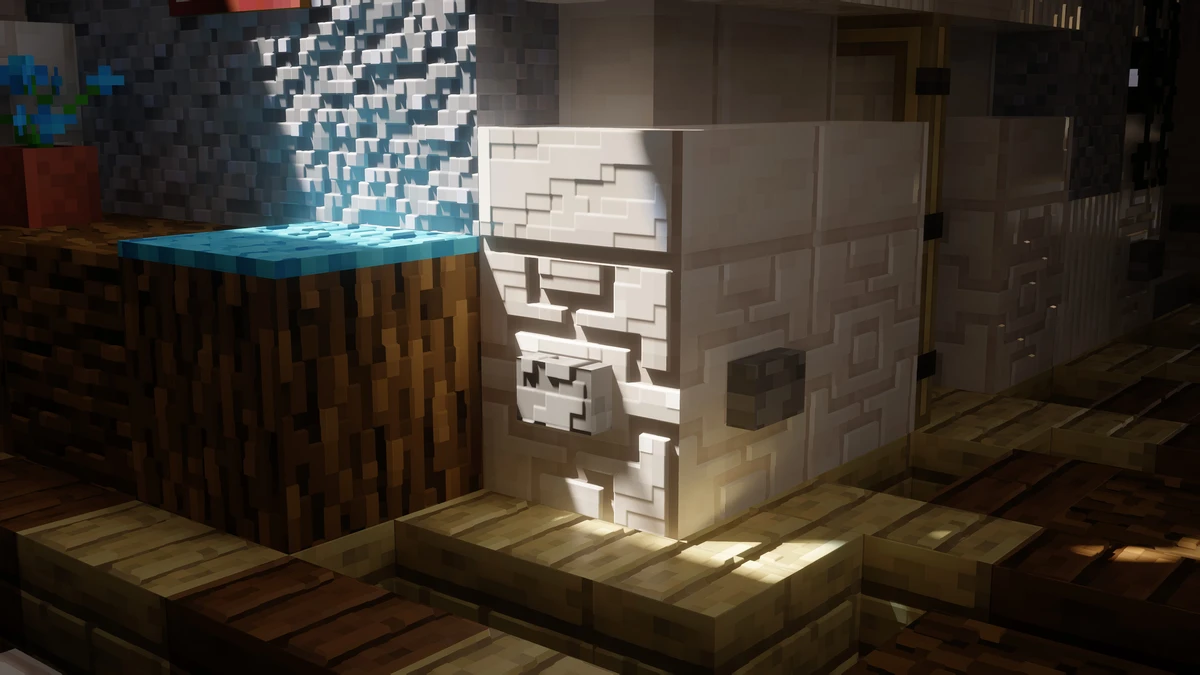
Before releasing IterationRP, the same developer already made the IterationT Shaders. Both packs share a similar style, but the newer RP version has one big upgrade: ray tracing support. You can see this most clearly on wooden blocks, which get a polished, slightly reflective surface that reacts beautifully to light. It’s not full-on reflections, but it adds a modern, realistic touch to Minecraft’s world.
IterationRP looks good on its own, but it really shines when combined with a POM texture pack. Packs like RealisCraft, URBAN, or Luna HD add depth to blocks, making them appear in 3D. When paired with IterationRP, the results are stunning because you get realistic lighting, detailed textures, and a level of immersion that feels completely different from vanilla Minecraft.
One of the best things about the IterationRP shaders is the performance. Older mods like RudoPlays or Chocapic looked incredible for their time, but they weren’t very optimized and often caused lag. IterationRP is much smoother, even on weaker PCs or laptops. You can enjoy high FPS while still experiencing all the ray tracing effects, which makes this shader stand out from the rest.
Of course, no shader is perfect. IterationRP does have a few minor bugs. For example, light sources like torches may flicker a bit in caves, which can look strange. Also, like with many shaders, nights and caves tend to be too dark, making it hard to see anything. Many players prefer to disable shaders at night and only use them during the day to enjoy the best visuals.
It’s worth mentioning that the developer Tahnass has been criticized for using parts of the code from well-known graphic mods like Continuum and SEUS without permission. While he did improve and modify some of those elements, it raises ethical concerns since the shaders are not fully original. The result is still a high-quality pack, but whether you should support a creator who charges money for work partly taken from others in the community is definitely up for debate.
More positive is that the IterationRP texture pack is compatible with the Distant Horizons mod. This allows you to increase your render distance far beyond Minecraft’s default limits. With the right setup, you can see massive landscapes stretching out endlessly. However, this feature really depends on your hardware. While it’s supported, you’ll need a powerful PC and plenty of RAM to avoid crashes or performance drops. If your computer can handle it, the combination of IterationRP and Distant Horizons feels like next-level Minecraft.
Video & Screenshots



Comparison
Use our comparison tool to compare the Minecraft default pack with IterationRP.


How To Install IterationRP Shaders
Here’s a tutorial on installing IterationRP in Minecraft Java Edition.
- Download the IterationRP shaders for Minecraft from the file section below. Pick the file that matches your Minecraft edition and version.
- Install Iris.
- Open the Minecraft launcher, and choose the Iris profile you just made.
- Launch Minecraft.
- Go to "Options", then "Video Settings", and select "Shader Packs". Next, click on "Open Shader Pack Folder" to access the shaderpacks folder.
- Move the downloaded ZIP file into this folder (.minecraft\shaderpacks).
- In the game, choose the newly installed pack from the shaders list. If you select a shader pack, its filename will turn yellow.
- Click "Done" or "Apply" and all new features have been loaded.
IterationRP Shaders Download
Note: The IterationRP Shaders are paid and are not available for free. The creator offers them on a Chinese Patreon-like platform called Afdian, where the subscription costs about 16 CNY per month. Please keep in mind that users outside of China may face difficulties, since Afdian requires linking a +86 phone number to your account in order to start the subscription.
Download IterationT Shaders

I want to download the shader
You can download the shader via the links in the download section. You’ll be redirected to the official download page of the pack.
i want this shaders
The download link is available in the download section at the end of the article. There’s also an installation tutorial above the download section in case you need help getting it set up. Let us know if you have any questions!
Does this shader pack support the realistic snow from the Physics Mod?
Do i have to pay for it?
Yes, but IterationT is free.
noo
very good
very good
i want this shader
You can get it with the download link at the end of the post
Very good, I really want it
I want it for minecraft patch