YouTuber BedlessNoob has released something very special for his fans. It’s the official BedlessNoob 200k texture pack. For a long time, his subscribers have been waiting for the release and now it’s finally available. In our opinion, the textures are beautifully designed and you will immediately notice a difference compared to his older packs.
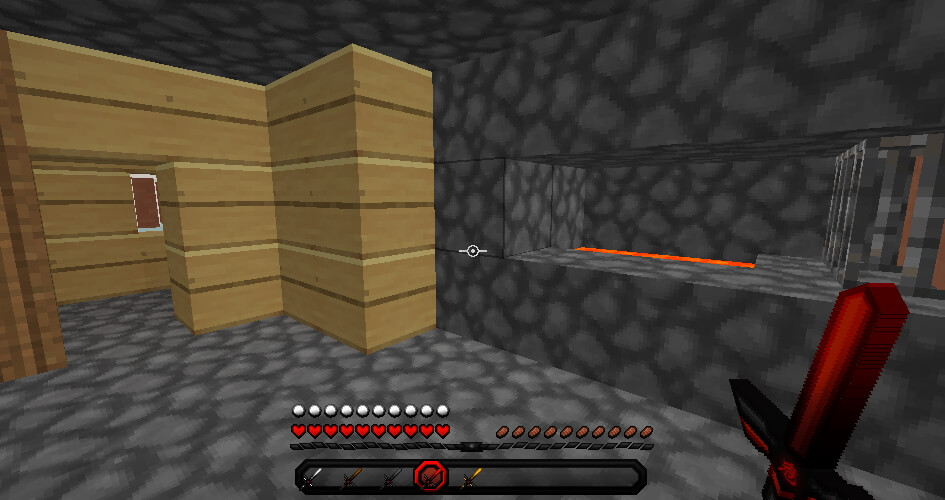
First, let’s take a look at the great PvP items because in this case, they are one of the most important textures. All swords and tools really stand out from the competition. Compared to other resource packs, the sword blades have a better design. Although the resolution of all swords is 512×512, they are slightly shorter than usual, similar to what you might know from the Short Swords texture pack. In general, it can be said that almost all textures have different resolutions. Actually, BedlessNoob claimed that all items and blocks have 128×128 resolution, but that’s not true. Honestly, there are almost four different resolutions in his 200k texture pack.
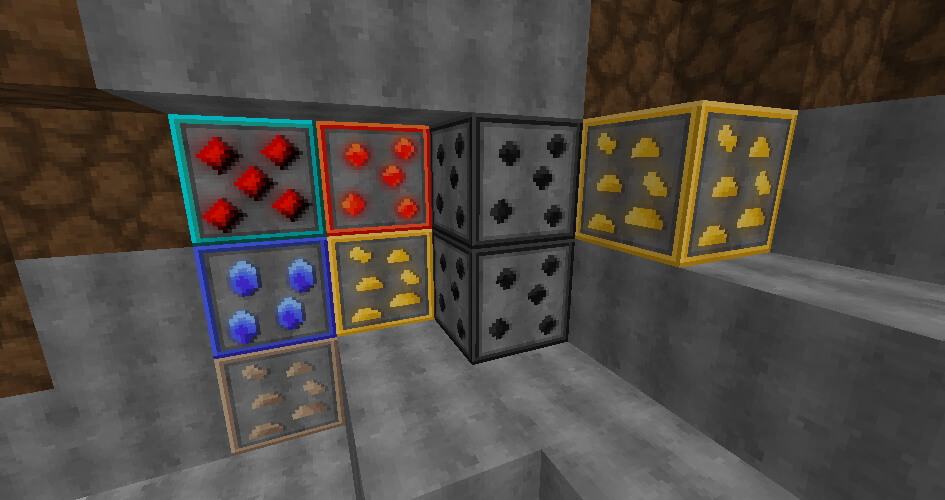
Furthermore, there is another great change for all PvP players, because the ore blocks are outlined. You will be able to find the ores much faster and distinguish them better because of the outlines. This is especially noticeable in multiplayer because your opponents don’t have this advantage. Additionally, there is a significant difference in the diamond textures compared to vanilla Minecraft. Normally, this ore shimmers in turquoise. However, the diamond block and all diamond items in the BedlessNoob 200k Pack are red.
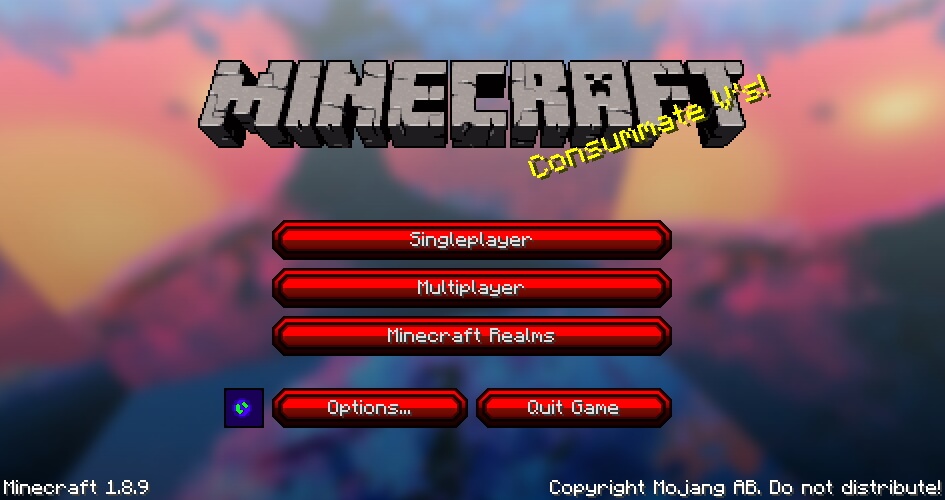
Without a doubt, you’ll quickly notice that the main color is red. Moreover, the various sandstone blocks and the menu buttons are also in this color. These are especially interesting for you if you like to play Bedwars. By the way, the sandstones and the wool blocks have a similar logo on their top.
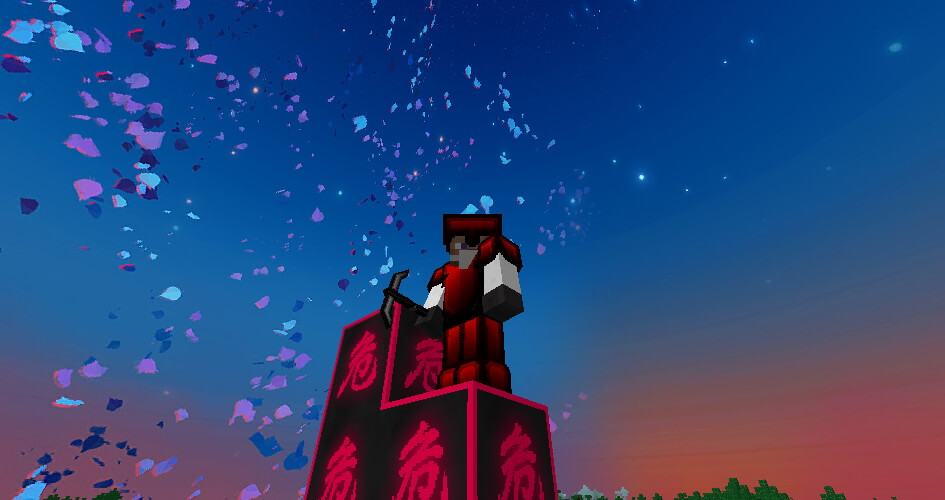
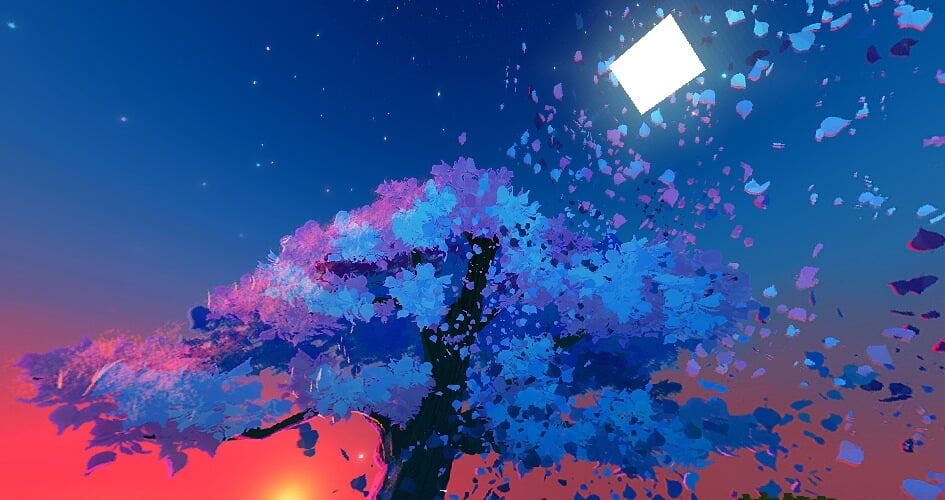
An absolute highlight is the sky. During the day, you will see a tree above your game world that is losing leaves. It’s best to take a look at the screenshots yourself, so you know what we mean. This is probably what an LSD trip in Minecraft feels like. At night, the sky is a bit more realistic, because you can see outer space. Do you like custom sky animations? Then we recommend you the Dramatic Skys Pack.
By the way, we made a poll. The result was that most Minecraft players used the BedlessNoob 200k texture pack in Bedwars and SkyWars. Actually, this is not a big surprise, because the pack is optimized for PvP. As you probably know, the game mode Bedwars is all about destroying the opponent’s beds. That’s why a lot of effort was put into the bed design. To be more precise, the bed is red and black and is animated. If you like this style check out the BedlessNoob 350k pack.
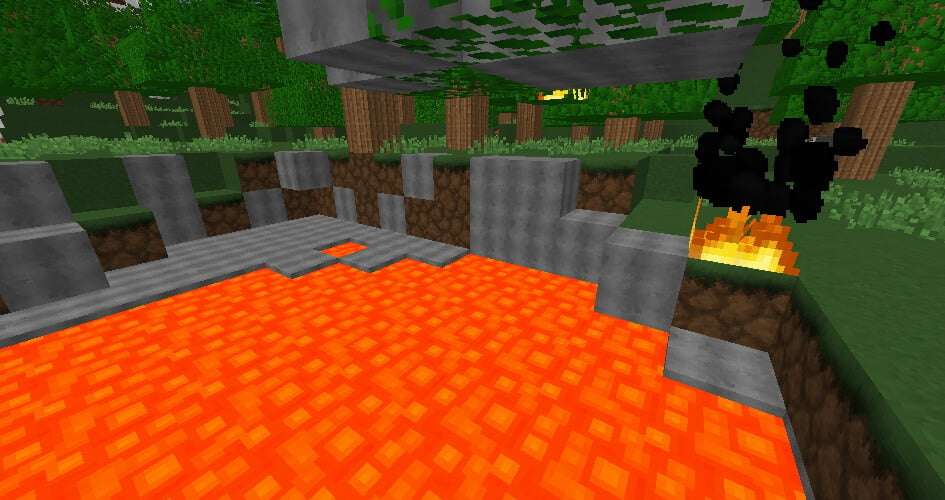
So far we have described only positive features, but there are a few disadvantages. One drawback is the game version because BedlessNoob 200k resource pack is only available for 1.8. This is a problem because some servers only support the latest version. This can result in buggy textures in rare cases. In addition, the pack is not 100% complete, which is why you will see sometimes unchanged blocks in the landscape.
Besides, the font has not been changed and is the same as in the default pack. The creator Yuruze could have shown more effort here. But apart from that, he did a good job. Otherwise, the texture pack wouldn’t be so popular.
BedlessNoob 200k was released on March 10, 2021 and is compatible with these Minecraft versions: 1.8.9 - 1.8 - 1.7.10 - 1.7.2
Video & Screenshots
Comparison
Use our comparison tool to compare the Minecraft default pack with BedlessNoob 200k.


How To Install BedlessNoob 200k Texture Pack
Here’s a tutorial on installing BedlessNoob 200k in Minecraft Java Edition. If you’re using Minecraft Bedrock Edition and the pack is available for Bedrock/MCPE, you can simply click on the downloaded file to install it.
- Download and install OptiFine, as it is required by most texture packs.
- Download the BedlessNoob 200k texture pack for Minecraft from the file section below. Pick the file that matches your Minecraft edition and version.
- Launch Minecraft.
- Click "Options" on the main menu.
- In the options, go to the submenu “Resource Packs”.
- Click "Open Pack Folder" at the bottom left to see a folder titled "resourcepacks".
- Put the downloaded ZIP file into your "resourcepacks" folder. Or, just drag and drop it into the Minecraft window to add the pack.
- You will see the pack on the left side of the resource pack selection menu. Unzip the file if you can't see the pack.
- Hover over the pack thumbnail and click the arrow pointing right. If the game notifies you that the pack is made for a newer or older Minecraft version, simply click “Yes” to proceed. Most textures will still work.
- Click "Done" and all assets have been loaded.
BedlessNoob 200k Texture Pack Download
[MCPACK] Download BedlessNoob 200k Texture Pack
Java Edition:
[128x] [1.8.X] Download BedlessNoob 200k Texture Pack
Add-on:
[128x] [1.8.X] Download Gura Bed Overlay Add-on

Is this an FPS Boost pack?
lool
Pls tell me how to download on iOS
i love this with godbride packs
lol
thx for the pack!
I love it
Nice Nice
Where do i download it
Further above are all download links.
i have winzip and it wont let me download the texture pack.
I do not understand the problem. Winzip can not prohibit downloads.
do i need lunar client or something?
No, but Optifine is recommended
what version is dis pack 1.8.9? or 1.16.5
1.8.9
hi i know bedless noob but how to get it
Click on the download button
WOW I LOVE THIS PACK
good job with the texture pack! i love it!
Lets goooo man
My sky has all the different skies at the same time. How do i fix this
Try Optifine
how to download the pack its zip what do i do btw im in java
Check out our installation tutorial.
Name checks out, I have a lower chance of winning a bedwars game with my bed, but I get more kills!
huh
this can download in tlauncher?
The pack should also work for Tlauncher
PvP packs for the win