The Amethyst 16x Texture Pack is a purple PvP pack for Minecraft that takes its color scheme straight from the amethyst gemstone, so expect a deep, rich purple paired with dark accents throughout. Creator Colbb built it primarily with BedWars and SkyWars on Hypixel in mind, but you can obviously throw it on for any other game mode you enjoy.
The resolution stays at 16×16, which is Minecraft’s default. That means the classic pixelated look is fully intact here. If you’re looking for smooth textures or an HD resource pack, this one is definitely not for you. A lot of YouTubers also like to hype up the FPS boosts you supposedly get from 16x packs compared to the standard default texture pack. Honestly, we couldn’t notice a real difference when testing the Amethyst 16x. A tiny advantage is theoretically possible since some textures are simplified, but in practice it’s barely noticeable. If FPS optimization is your actual goal, you’re better off adjusting your in-game settings and lowering your render distance first.
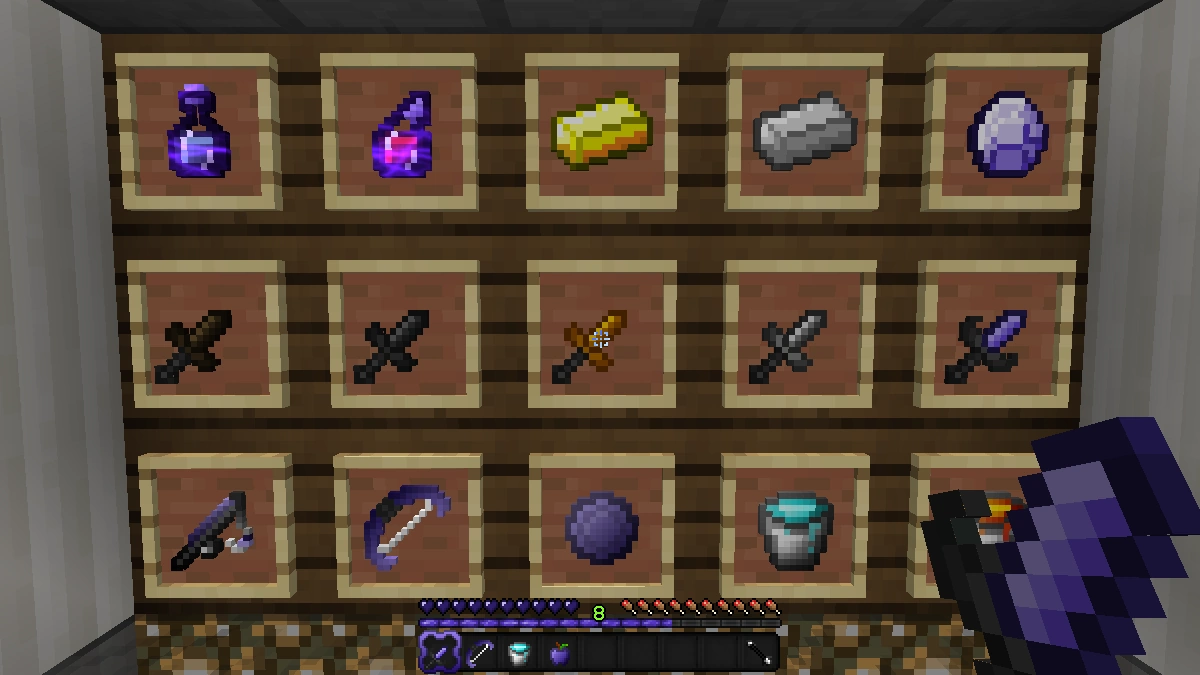
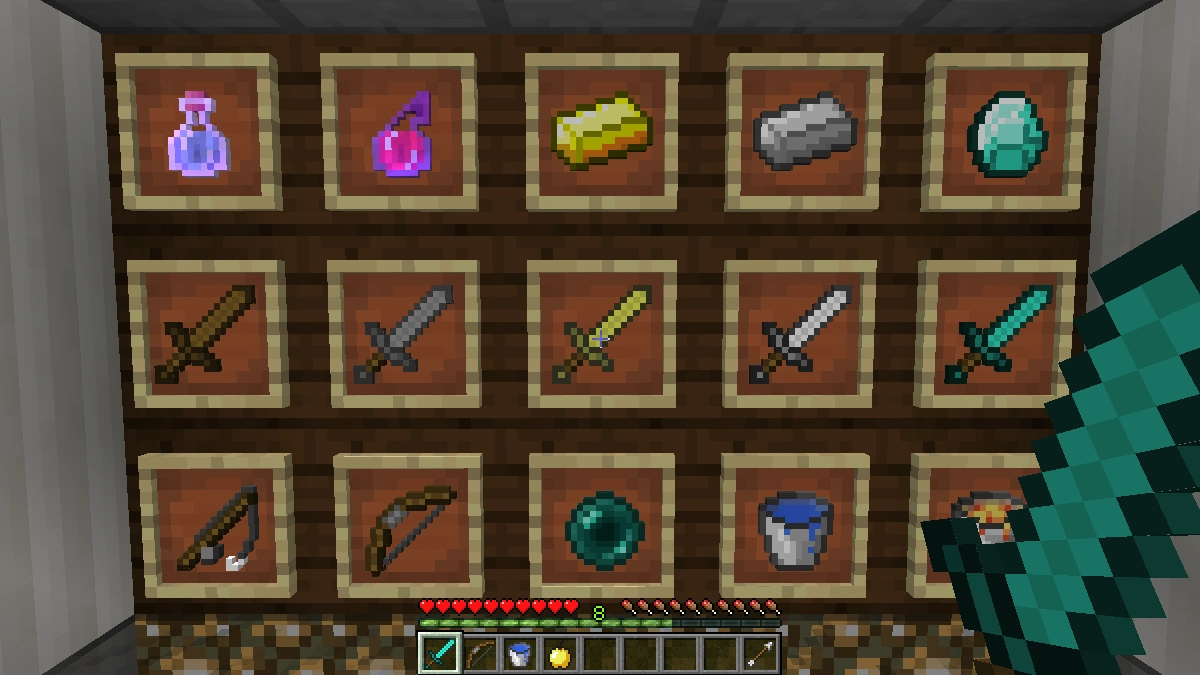
It’s also worth pointing out that the Amethyst 16x is not a complete overhaul pack like Faithful 64x, where literally every single texture gets reworked. It selectively changes PvP-relevant items and a small number of blocks, leaving the rest of the world untouched. The bow, golden apple, all diamond gear and the matching armor pieces show up in the dark purple and black color scheme. Swords are shortened, which helps with visibility while fighting since the blade takes up less of your screen. For a 1.8.9 PvP texture pack that’s basically a requirement at this point, and Amethyst pulls it off well. The hit particles look completely different from vanilla too. They come across as these irregular splatter-like bursts that are honestly hard to describe. They just look cool, and you’ll see what we mean once you load it up. Ore outlines are also included, so you can spot diamonds and other ores even in low-visibility situations, which is exactly what you’d expect from a good PvP pack.
Only a handful of blocks got changed overall. The grass block stands out the most because it looks unusually smooth and feels totally out of place next to the pixelated items. It almost looks like it belongs in a minimalist pack like Soft Bits or Plastic. The inventory gets a dark purple tint across the slots. It fits the overall aesthetic, but we’d personally prefer a transparent GUI instead. When you’re in a BedWars or SkyWars match and an enemy rushes you out of nowhere, a dark inventory layout is the last thing you want slowing down your reaction.
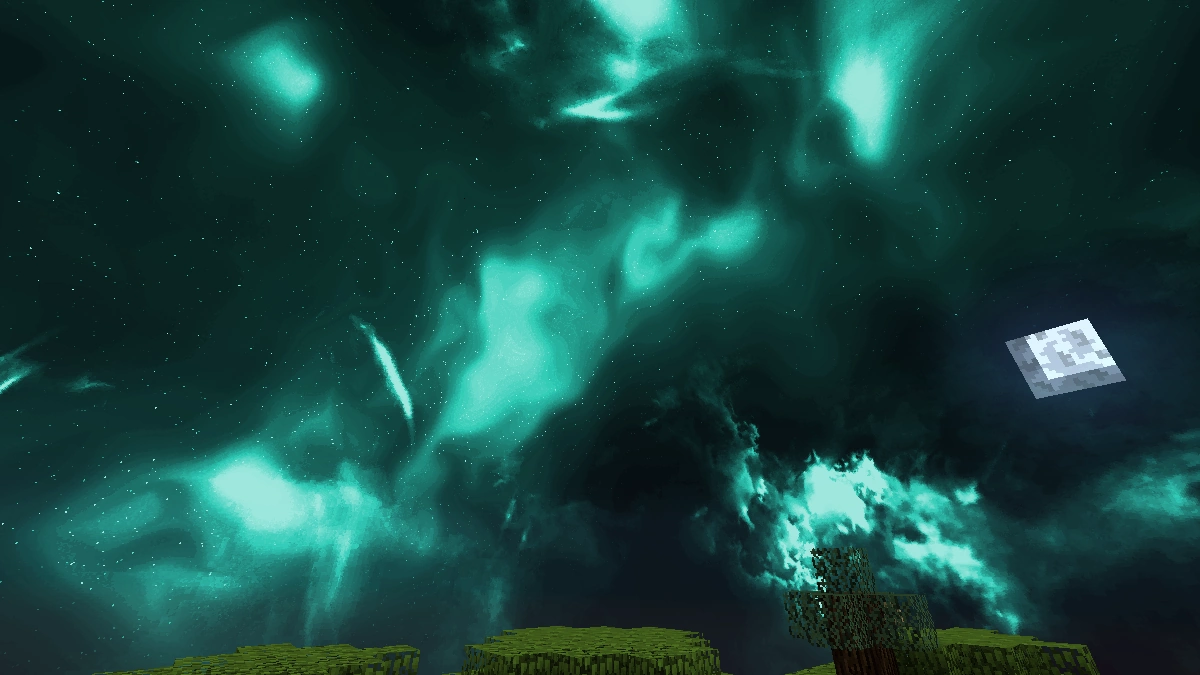
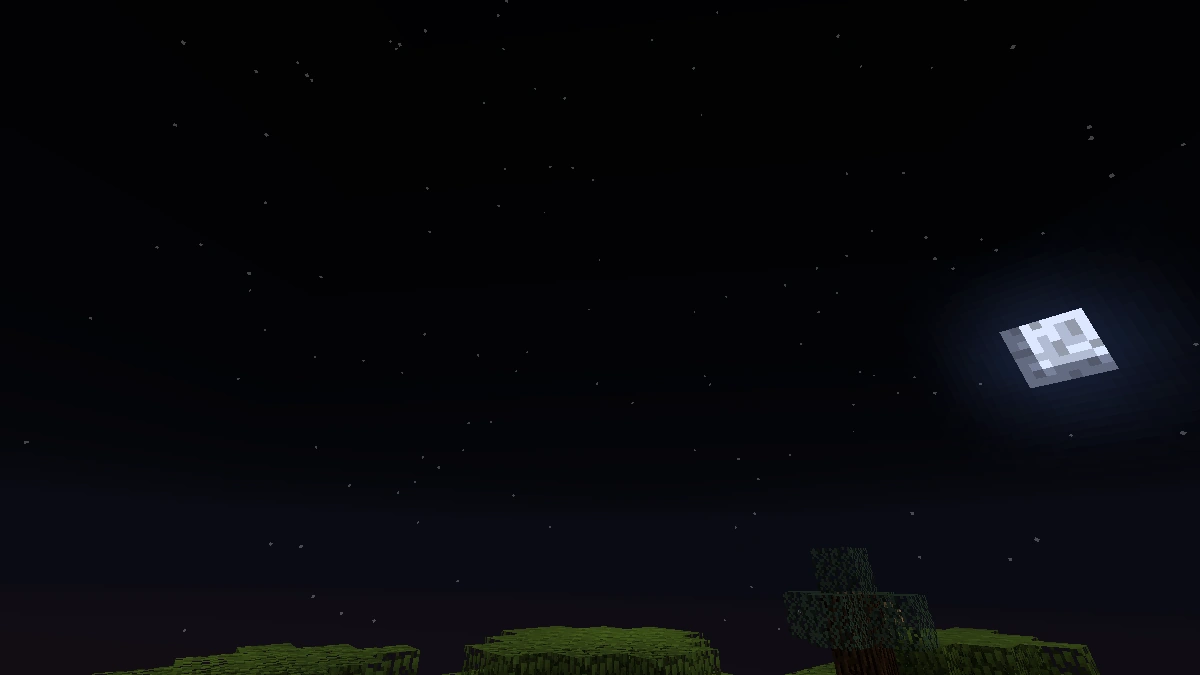
The custom sky is genuinely one of the best parts of this pack. During the day it goes deep blue with full, realistic-looking clouds, but nighttime is where it really shines. Everything shifts to a teal hue with glittering stars scattered across the sky. It obviously can’t compete with the animated skies you get from a proper Minecraft shader, but for a PvP pack this is impressively well done.
If you’ve used the Pain PvP texture pack before, you’ll probably notice some similarities right away. Both go for that dark purple and black look at 16×16 resolution. The main difference comes down to item textures: Pain PvP feels a bit smoother even at the same resolution. If you prefer a more pixelated style, Amethyst 16x is the better pick. If you like things cleaner and more refined, give Pain PvP a shot too. At the end of the day it really just comes down to personal preference.
On the performance side, there’s good news. The Amethyst texture pack runs without any issues on low-end hardware, including low-end PCs without a dedicated gaming GPU. If you’re hunting for a BedWars texture pack that won’t lower your FPS, this is a great option. Players looking for a full conversion pack that transforms every corner of the game would be better served by something like Faithful 32x. But as a focused PvP resource pack, Amethyst does its job really well. We’d absolutely recommend giving it a download.
Screenshots
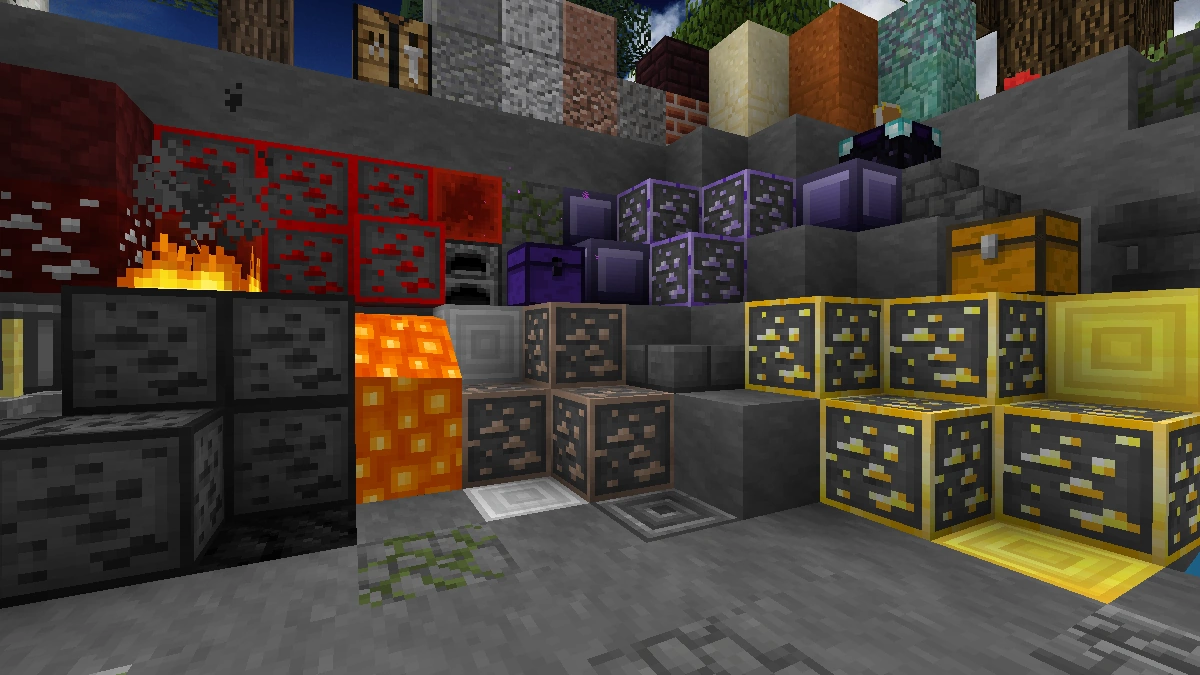
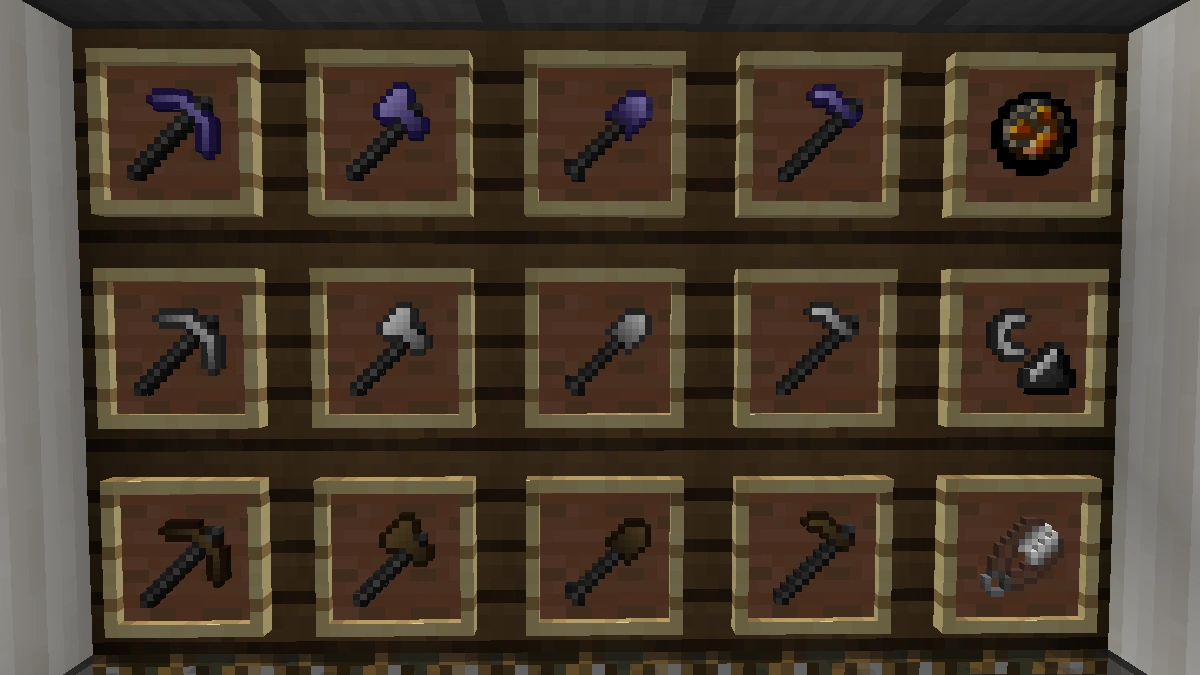
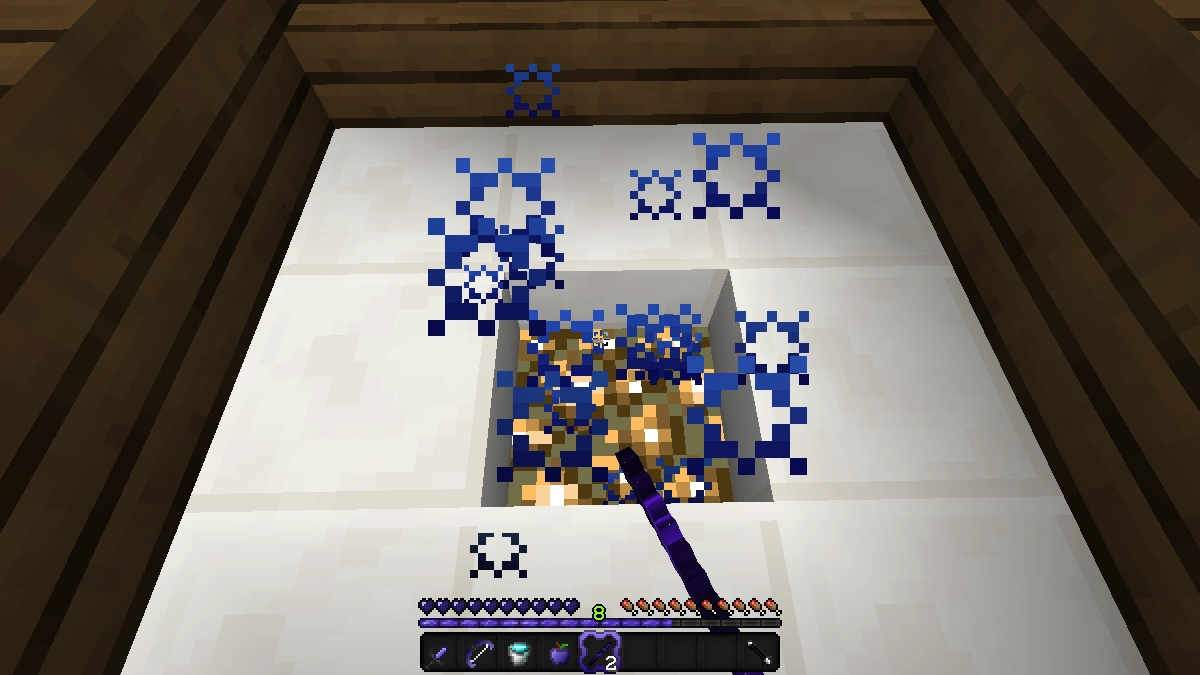
Comparison: Vanilla vs. Amethyst 16x
Use the before/after slider to see how Amethyst 16x changes Minecraft compared to vanilla. Use the buttons below to compare different biomes and situations.
How To Install Amethyst 16x Texture Pack
Here’s a tutorial on installing Amethyst 16x in Minecraft Java Edition. If you’re using Minecraft Bedrock Edition and the pack is available for Bedrock/MCPE, you can simply click on the downloaded file to install it.
- Download and install OptiFine, as it is required by most texture packs.
- Download the Amethyst 16x texture pack for Minecraft from the file section below. Pick the file that matches your Minecraft edition and version.
- Launch Minecraft.
- Click "Options" on the main menu.
- In the options, go to the submenu “Resource Packs”.
- Click "Open Pack Folder" at the bottom left to see a folder titled "resourcepacks".
- Put the downloaded ZIP file into your "resourcepacks" folder. Or, just drag and drop it into the Minecraft window to add the pack.
- You will see the pack on the left side of the resource pack selection menu. Unzip the file if you can't see the pack.
- Hover over the pack thumbnail and click the arrow pointing right. If the game notifies you that the pack is made for a newer or older Minecraft version, simply click “Yes” to proceed. Most textures will still work.
- Click "Done" and all assets have been loaded.
Amethyst 16x Texture Pack Download
[16x] [1.8.x] Download Amethyst Texture Pack

maybe you can update and port it to bedrock to the latest version
dope