The Short Swords Texture Pack by Oculie does exactly what the name says. It cuts down the blade length on all your swords so they take up less screen space. No visual overhaul, no custom designs. Just vanilla Minecraft swords with shorter blades.
The pack modifies every sword in the game from wooden to netherite. All of them get the same treatment: a noticeably shorter blade while the handle, colors, and overall vanilla style stay untouched. You can see the difference in the screenshots further down. That iron sword in the corner barely takes up any space compared to the default model. The textures stay at 16×16 resolution, matching the original Minecraft look perfectly.
For PvP players, this is a practical upgrade. When you’re fighting in BedWars, SkyWars, or on practice servers, a smaller sword model means you can track your opponent without your own weapon blocking the view. The hitboxes don’t change at all, so there’s no unfair advantage. You just get more visibility during combat.
The difference shows most when you’re strafing and swinging at the same time. Default swords sweep across a big portion of your screen with every attack. That brief moment where your blade covers your opponent can cost you a hit or make you miss an incoming attack. With shorter swords, the animation stays out of your way and you keep eyes on the fight the entire time.
Survival players benefit too. Clearing out a cave full of mobs feels smoother when your weapon isn’t constantly blocking your peripheral vision. You can spot that creeper sneaking up from the side or see exactly where arrows are coming from without any obstruction.
One thing worth mentioning is the file size. This pack is tiny. We’re talking just a few kilobytes. Compare that to realistic HD packs like Luna HD or RealisCraft that can reach hundreds of megabytes and you realize how lightweight this is. It loads instantly and has zero impact on your performance.
Since the pack only changes sword textures, it stacks perfectly with other vanilla resource packs. Put it above your main pack in the load order and the short swords will show up regardless of what other textures you’re running.
If you want to maximize your combat visibility, the creator Oculie also made the Low Fire Texture Pack which reduces the flames covering your screen when you’re burning. That combo alone makes a huge difference in lava fights or against fire aspect swords. You can push it even further with the No Darkness Texture Pack to remove the Warden’s darkness effect, or the No Pumpkin Blur Texture Pack if you like wearing carved pumpkins without the overlay blocking your view.
Stack all of these together and you get a setup where nothing interferes with your vision during fights. Clean screen, fast reactions, pure focus on the game.
Screenshots
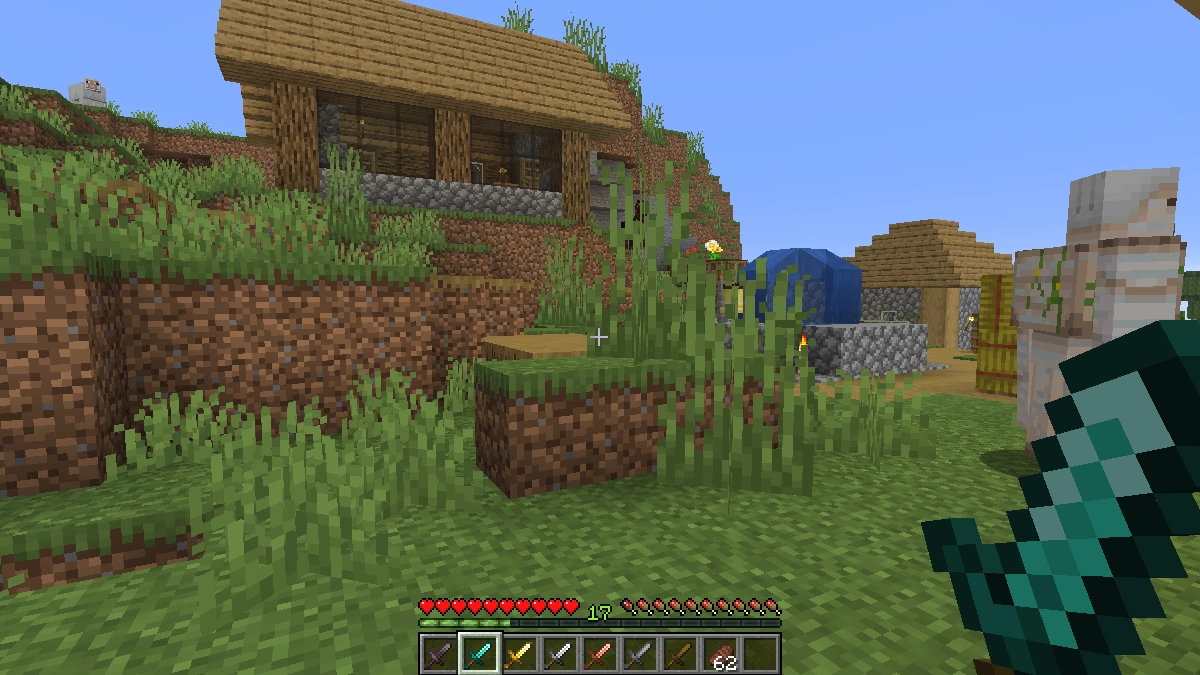
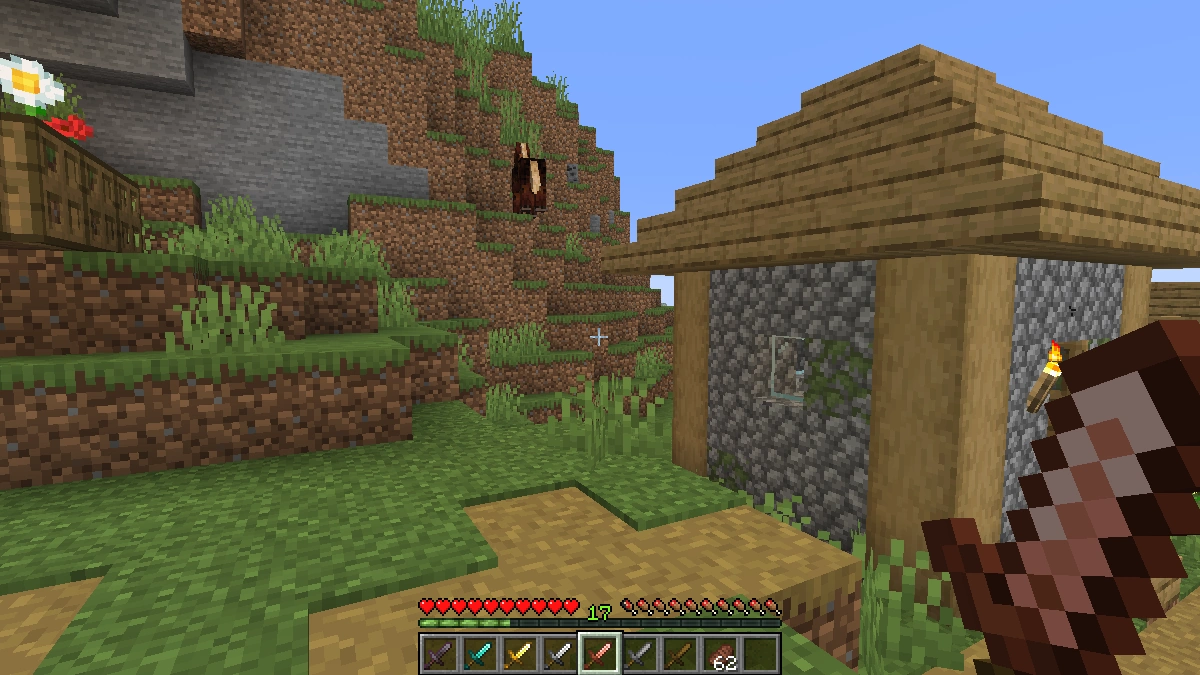
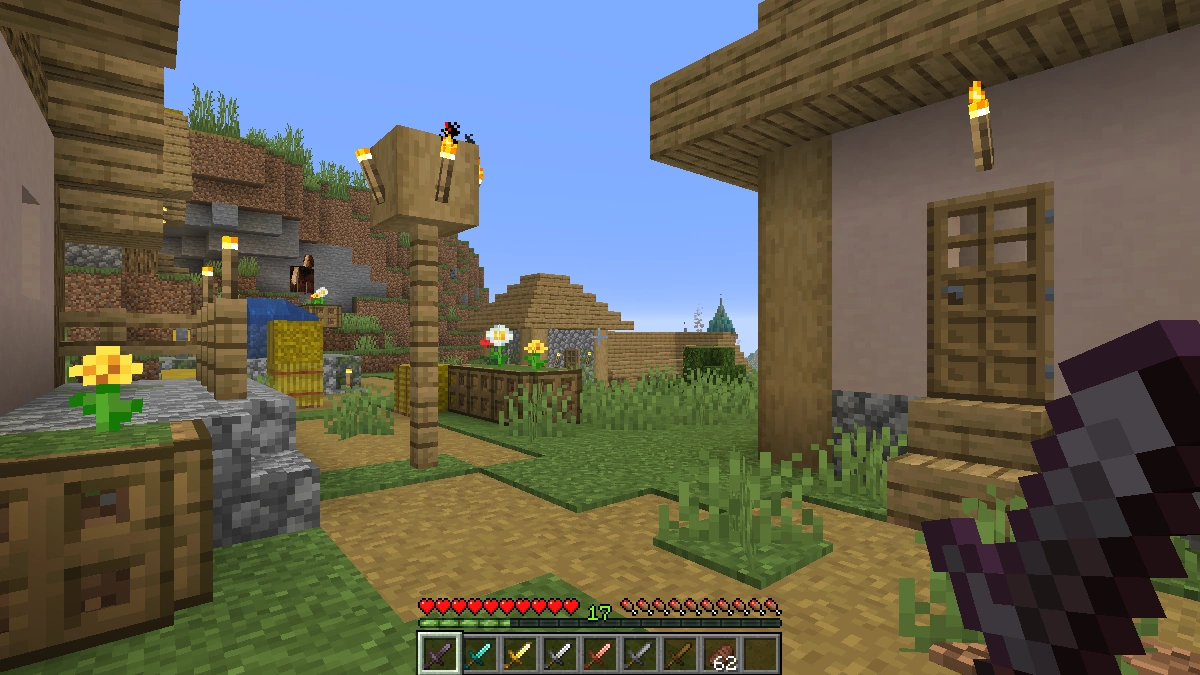
Comparison
Use our comparison tool to compare the Minecraft default pack with Short Swords.


How To Install Short Swords Texture Pack
Here’s a tutorial on installing Short Swords in Minecraft Java Edition. If you’re using Minecraft Bedrock Edition and the pack is available for Bedrock/MCPE, you can simply click on the downloaded file to install it.
- Download the Short Swords texture pack for Minecraft from the file section below. Pick the file that matches your Minecraft edition and version.
- Launch Minecraft.
- Click "Options" on the main menu.
- In the options, go to the submenu “Resource Packs”.
- Click "Open Pack Folder" at the bottom left to see a folder titled "resourcepacks".
- Put the downloaded ZIP file into your "resourcepacks" folder. Or, just drag and drop it into the Minecraft window to add the pack.
- You will see the pack on the left side of the resource pack selection menu. Unzip the file if you can't see the pack.
- Hover over the pack thumbnail and click the arrow pointing right.
If the game notifies you that the pack is made for a newer or older Minecraft version, simply click “Yes” to proceed. Most textures will still work.
- Click "Done" and all assets have been loaded.
Short Swords Texture Pack Download
[MCPACK] Download Short Swords Texture Pack
Java Edition:
[16x] [26.2+ – 1.21.11] Download Short Swords Texture Pack
[16x] [1.21.10 – 1.21.9] Download Short Swords Texture Pack
[16x] [1.21.8 – 1.21.7] Download Short Swords Texture Pack
[16x] [1.21.6] Download Short Swords Texture Pack
[16x] [1.21.5] Download Short Swords Texture Pack
[16x] [1.21.4] Download Short Swords Texture Pack
[16x] [1.21.3 – 1.21.2] Download Short Swords Texture Pack
[16x] [1.21.1 – 1.21] Download Short Swords Texture Pack
[16x] [1.20.6 – 1.20.5] Download Short Swords Texture Pack
[16x] [1.20.4 – 1.20.3] Download Short Swords Texture Pack
[16x] [1.20.2] Download Short Swords Texture Pack
[16x] [1.20.1 – 1.20] Download Short Swords Texture Pack
