You’re building a farm, the signal isn’t reaching, and you have no idea why. Is it the redstone dust? Signal too weak? Without this pack you’re just guessing. The Redstone Tweaks Texture Pack shows you the signal strength right on the block, makes delays readable, and stops you from googling the same wiki page for the tenth time. Whether you just started with redstone or you’re already building complex farms, this pack fixes problems that probably annoy you every single day.
What Redstone Tweaks Actually Changes
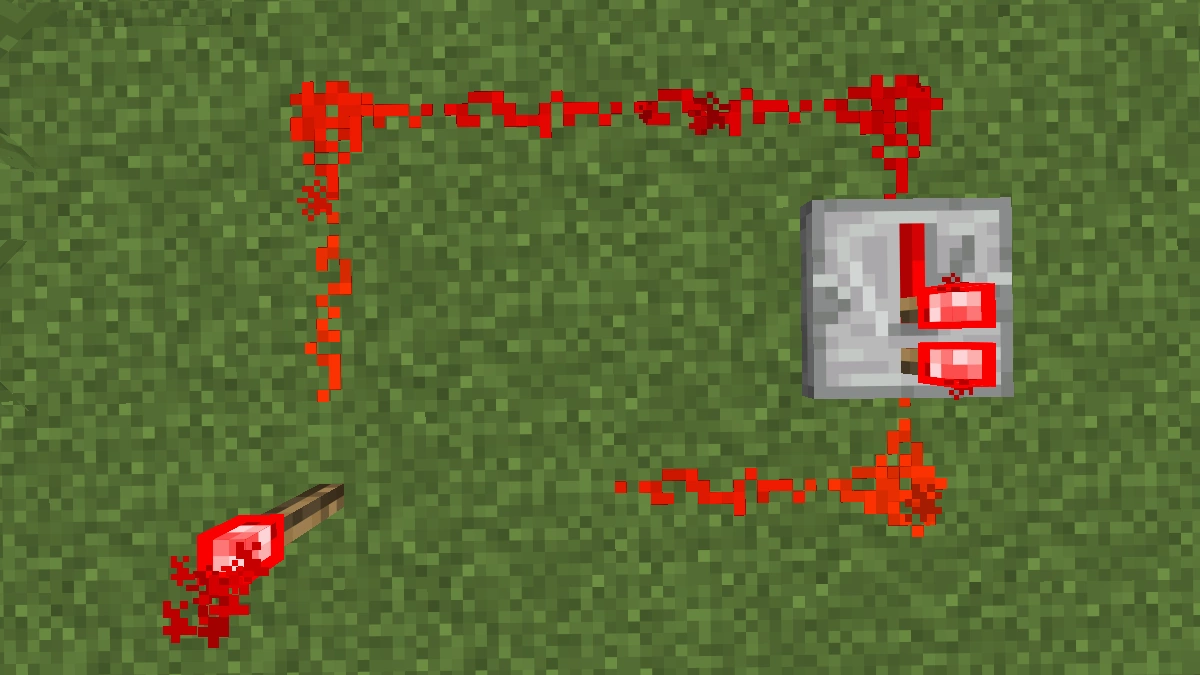
- Redstone dust shows you the signal strength as a number. 1 through 15, right on the dust. No more guessing whether your signal is still strong enough to reach the next block.
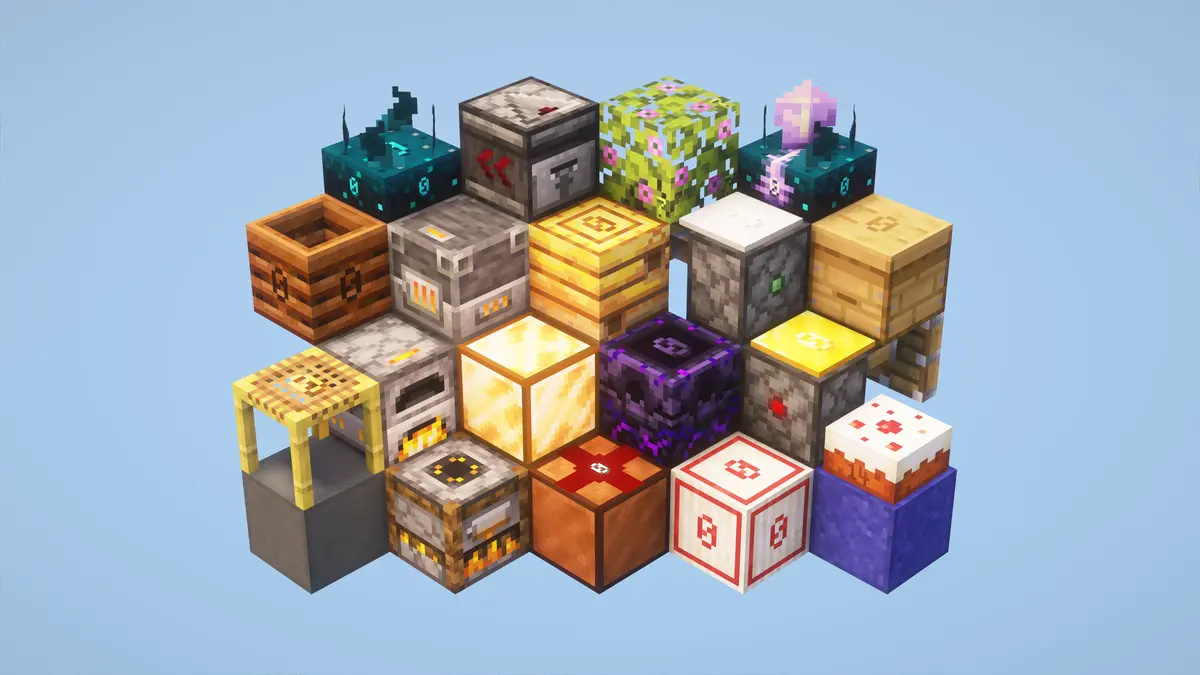
- Repeater and comparator get visible bottom textures. When you look up into a build from below, you can instantly read the repeater’s delay as a number. The comparator shows its current mode.
- Observers show their facing direction and power status. You can see at a glance which way the observer is pointing and whether it’s currently active. Sounds obvious, but vanilla gives you nothing.
- Hoppers show whether they’re locked and which direction they’re pointing. If your hopper is locked and not moving items, you see it immediately without placing a comparator next to it.
- Droppers and dispensers show their facing direction and whether they’re currently triggered. When you have multiple droppers or dispensers in one build, you finally know which one is firing and where it’s pointing.
- Pistons and sticky pistons show their power status with a small indicator on the side. You see immediately whether the piston is receiving a signal or not.
- Sculk sensor and calibrated sculk sensor show signal strength and cooldown. The cooldown display is especially useful because you can see exactly when the sensor is ready to detect again.
- Note blocks show the note, instrument, and power status at the same time. Anyone who has spent 20 minutes hunting for one wrong note block knows how useful this is.
- Target block, daylight sensor, weighted pressure plates, and composter all display their current signal value as a number directly on the block.
- Tripwire and tripwire hook show whether they’re connected or triggered. Vanilla tripwire is almost invisible. The pack colors it based on its current state.
- Redstone ore shows whether it’s currently lit. Vanilla makes no visual distinction when it’s active, this pack does.
- Trapped chest shows whether it’s currently catching someone. Useful when you’re building security systems or traps and need to know whether the chest is outputting a signal right now.
- Crafter shows whether it’s triggered and whether it’s currently crafting. For anyone building automated crafting setups.
- Lectern shows its power status. Useful for libraries or builds that react to someone turning pages.
- Scaffolding shows the distance to the nearest supporting block. More of a building feature, but helpful when debugging scaffolding-based mechanisms.
- Leaves show their distance to the nearest log. When building tree farms, you can see immediately why certain leaves aren’t dropping.
Comparator Output Values: No More Wiki
A lot of blocks in Minecraft send a signal to a comparator that depends on their current state. A composter that’s nearly empty outputs a different signal than a full one. A beehive with lots of bees outputs a stronger signal than an empty one. The problem: what value is that block actually outputting right now? Normally you’d have to look it up on the wiki.
With the Redstone Tweaks Texture Pack, the number is right on the block. You see exactly what signal your comparator is reading, without leaving the game. This works for composters, cauldrons, beehives, bee nests, jukeboxes, and even cake. For cake, the number shows how many slices are left.
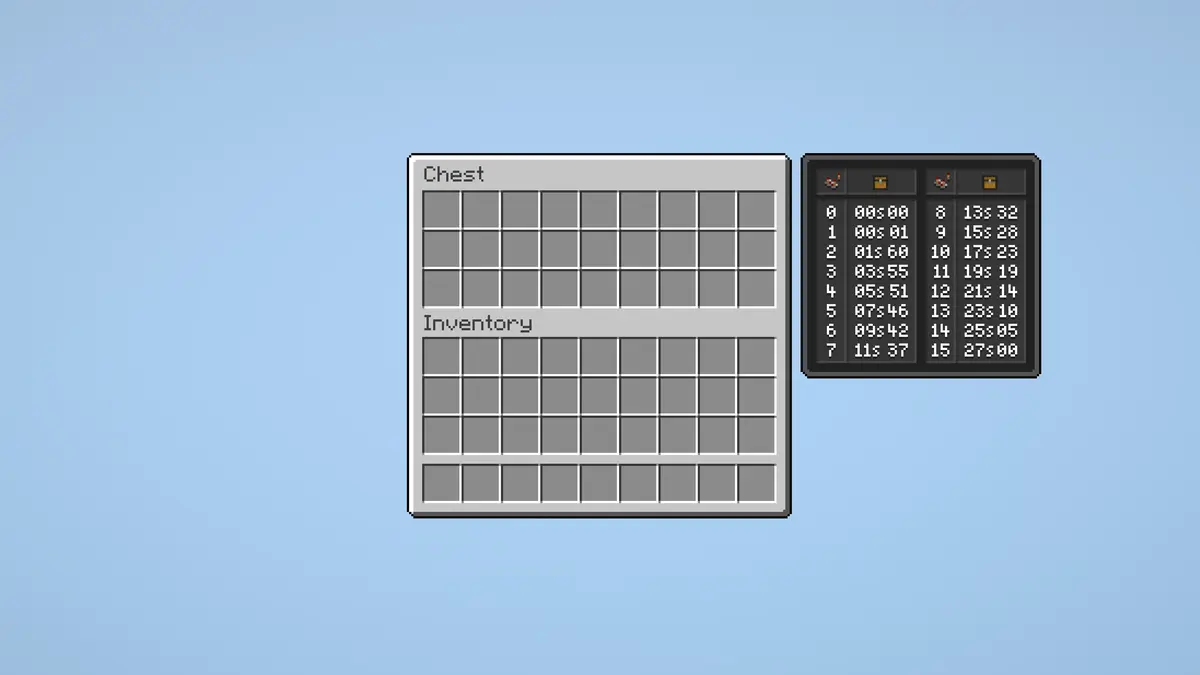
The hopper inventory also gets a small reference table on the side that shows which fill level produces which comparator output value, and how long it takes to empty at different quantities. Everything you need to build a farm that automatically stops or starts at a specific fill level, right there in the game.
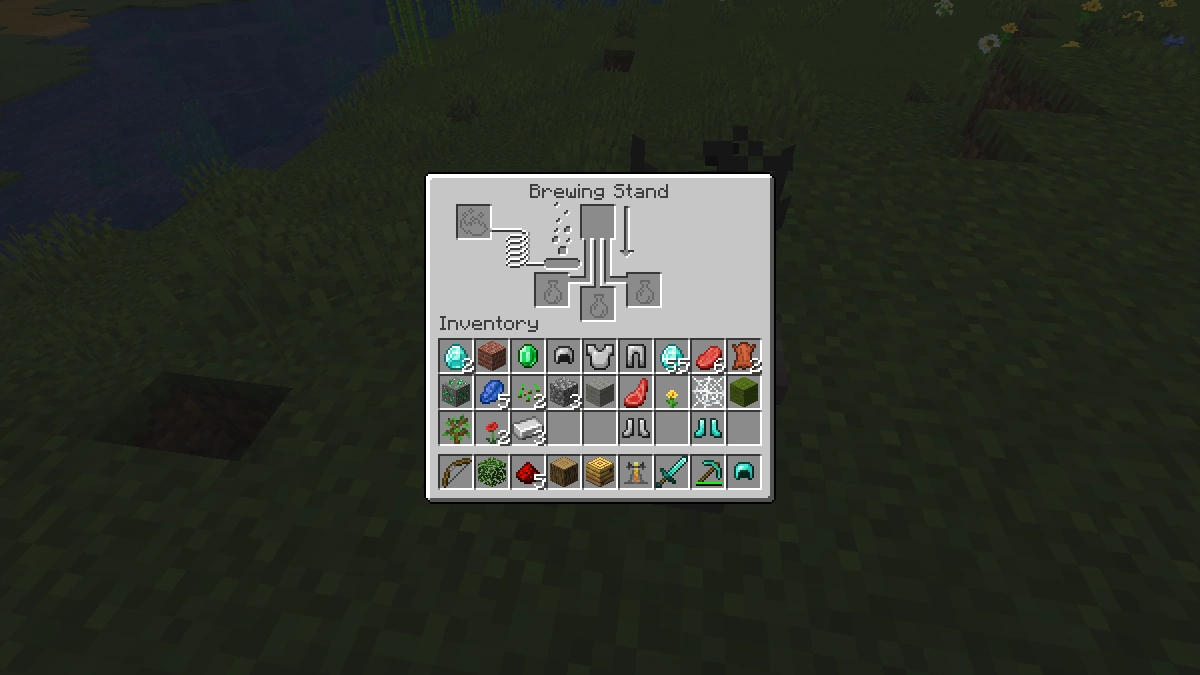
The brewing stand gets a built-in brewing guide. Ingredients and their effects on the left, comparator output chart on the right. If you’re brewing potions for farms, you never need to open a browser again.
Is It Worth Downloading?
If you build a lot with redstone, the Redstone Tweaks Texture Pack is one of the most useful downloads you can grab for Minecraft Java Edition. The amount of features is impressive, and none of it costs you any FPS. Signal strength on the dust, delay numbers on repeaters, comparator output on dozens of blocks, a built-in brewing guide, tripwire you can actually see. These aren’t gimmicks, they’re tools. If you mostly build and barely touch redstone, skip it. Everyone else: just download it.
Redstone Tweaks was released on November 21, 2021 and is compatible with these Minecraft versions: 26.2 - 26.1.2 - 26.1.1 - 26.1 - 1.21.11 - 1.21.10 - 1.21.9 - 1.21.8 - 1.21.7 - 1.21.6 - 1.21.5 - 1.21.4 - 1.21.3 - 1.21.2 - 1.21.1 - 1.21 - 1.20.6 - 1.20.5 - 1.20.4 - 1.20.3 - 1.20.2 - 1.20.1 - 1.20
Video & Screenshots

Comparison: Vanilla vs. Redstone Tweaks
Use the before/after slider to see how Redstone Tweaks changes Minecraft compared to vanilla. Use the buttons below to compare different biomes and situations.


How To Install Redstone Tweaks Texture Pack
Here’s a tutorial on installing Redstone Tweaks in Minecraft Java Edition. If you’re using Minecraft Bedrock Edition and the pack is available for Bedrock/MCPE, you can simply click on the downloaded file to install it.
- Download the Redstone Tweaks texture pack for Minecraft from the file section below. Pick the file that matches your Minecraft edition and version.
- Launch Minecraft.
- Click "Options" on the main menu.
- In the options, go to the submenu “Resource Packs”.
- Click "Open Pack Folder" at the bottom left to see a folder titled "resourcepacks".
- Put the downloaded ZIP file into your "resourcepacks" folder. Or, just drag and drop it into the Minecraft window to add the pack.
- You will see the pack on the left side of the resource pack selection menu. Unzip the file if you can't see the pack.
- Hover over the pack thumbnail and click the arrow pointing right.
If the game notifies you that the pack is made for a newer or older Minecraft version, simply click “Yes” to proceed. Most textures will still work.
- Click "Done" and all assets have been loaded.
Customisation
A few features like the bell, redstone lamp, and furnace are disabled by default. Redstone Tweaks supports the ResPackOpts mod, so you can toggle every single feature and adjust the details exactly how you want them. There’s also an explanation video that walks you through the whole setup.
Redstone Tweaks Texture Pack Download
[16x] [26.2.x – 26.1.x] Download Redstone Tweaks Texture Pack
[16x] [1.21.11 – 1.21.4] Download Redstone Tweaks Texture Pack
[16x] [1.21.3 – 1.21.2] Download Redstone Tweaks Texture Pack
[16x] [1.21.1 – 1.21] Download Redstone Tweaks Texture Pack
[16x] [1.20.6 – 1.20.2] Download Redstone Tweaks Texture Pack
[16x] [1.20.1 – 1.20] Download Redstone Tweaks Texture Pack

MumboJumbo will love this. 😊