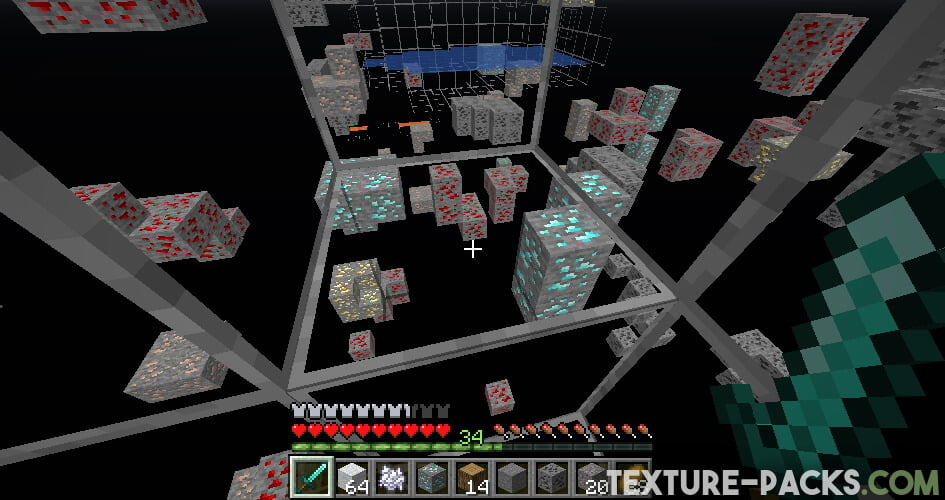
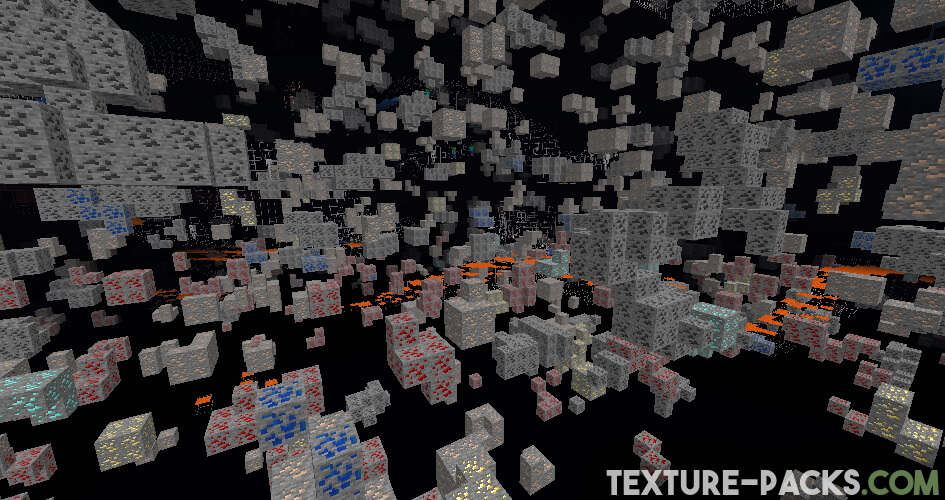
XRay texture pack has been the most popular Minecraft pack on the internet for years. For a beginner, this will sound strange, because it doesn’t add any new textures that make the gameplay more beautiful. Instead, you get x-ray vision. With this, you can see through all blocks. Simply put, your environment will be made invisible so that you can instantly spot important ores even from a great distance. From now on, no more annoying cave expeditions are necessary.
What Does the XRay Texture Pack Bring to Minecraft?
Originally, the XRay texture pack was developed because the creator didn’t want to waste his free time mining. In addition, he probably didn’t have much luck in it either, so he thought of a more efficient way. Nowadays, his project is known worldwide and has several million downloads. So, the developer Filmjolk has been helping many Minecraft players find netherite, diamonds, iron, and other ore blocks for years.
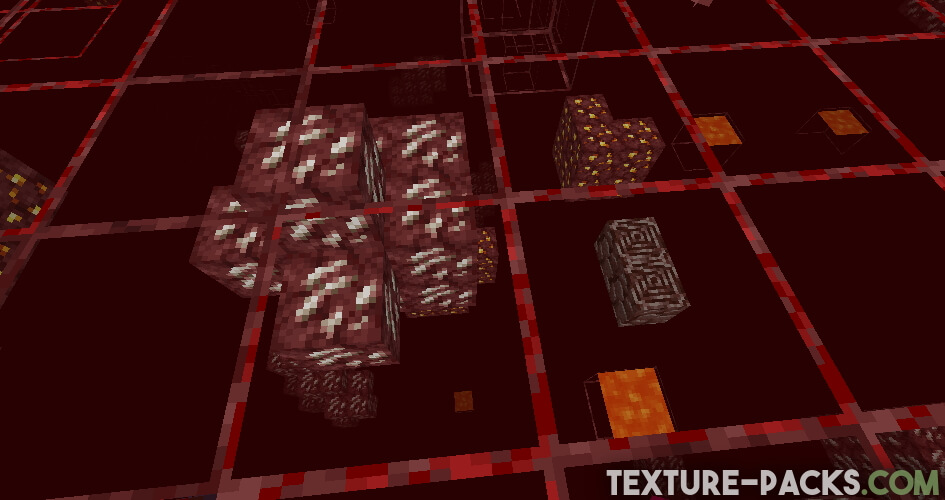
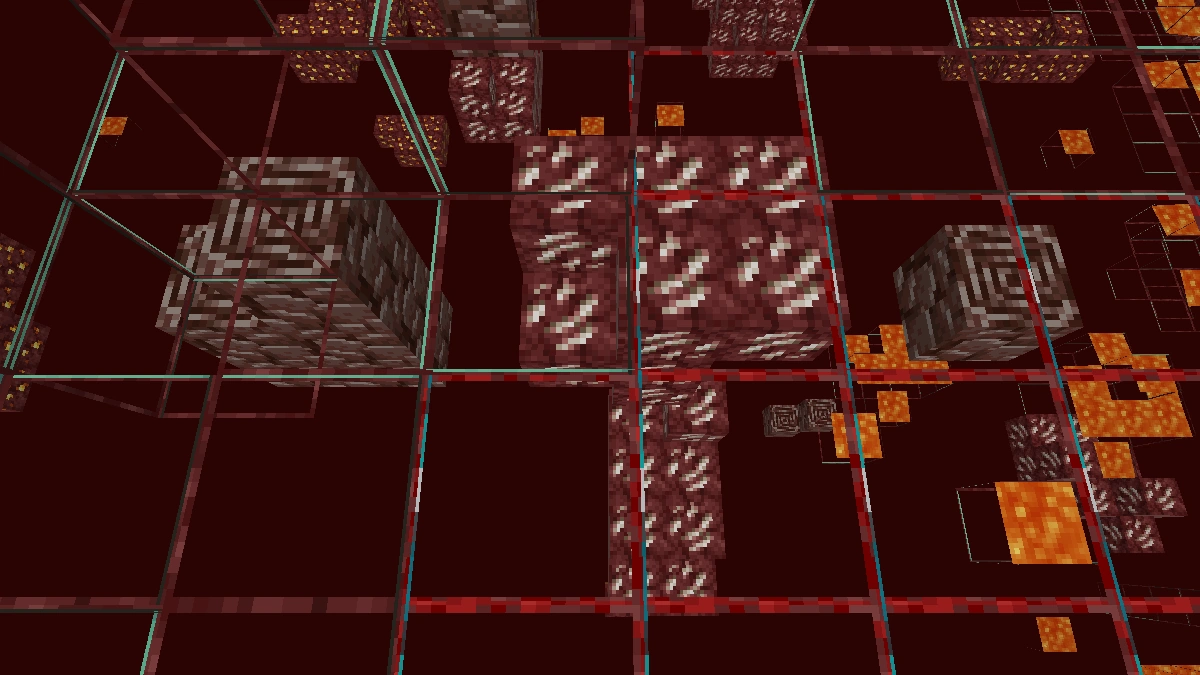
XRay is so good that you can be on a mountain and still see diamonds in the underground. However, that’s not all, because the texture pack can be used in other Minecraft dimensions as well. We mean the Nether because this has also become extremely important. You’ll immediately discover ancient debris, which is needed for netherite. Accordingly, you’ll never have to go on a long search for ores again.
Safety Features
Furthermore, the “invisible” blocks have a border so that no accident can happen. After all, it would be very annoying if you farm hundreds of diamonds and netherite with the XRay texture pack and end up falling off a cliff. Also, you can still see water and lava. This is also for your safety. If a lava lake were invisible, you would be in great danger of falling into it. And we all know what would happen then.
Trolling Friends: Use XRay Resource Pack for Fun
There are many reasons for the huge popularity, as you have already read. But there are many more. The XRay resource pack is perfectly developed. The pack works very simply and you don’t have to be an expert. As a result, anyone can use it and get an advantage over their friends. You can perfectly troll your friends with the pack because they certainly don’t expect you to be so rich in Minecraft all of a sudden. Moreover, you’ll see directly when an enemy mob is approaching, because you’ll be able to see through all the walls.
Our Experience with XRay
We have used XRay on smaller servers quite a bit, and it works best there because most of them do not run anti-cheat plugins or have strict rules against it. On larger servers you will quickly notice that something is off. They flood your view with fake ores scattered everywhere, which makes it nearly impossible to tell what is real. That trick alone is enough to make XRay useless on most big servers.
Keep in mind that XRay is banned on most servers, and using it can get you permanently kicked or banned. Even if a server does not have anti-cheat measures in place, you should respect the rules and the people you play with. If your friends or fellow players are against using the pack, do not use it. Nobody wants their survival experience ruined by someone who digs straight to every diamond vein. At the end of the day it is a game, and keeping it fun for everyone matters more than finding ores faster.
When it actually works though, finding ores is almost immediate. Standing on the surface you will mostly see iron, copper and coal at first. But once you dig down or reach a deeper cave system, diamonds appear almost instantly at a render distance of around 10 chunks or more.
Two things to watch out for from personal experience. First, it can get very dark underground, so bring a night vision potion or combine XRay with a pack like Night Vision or FullBright. Second, watch your step when digging straight down. We have fallen into underground lava lakes more than once doing exactly that. In singleplayer mode it always works without any restrictions, which makes it the most straightforward way to get started with the pack and figure out the settings before taking it anywhere else.
XRay was released on December 22, 2014 and is compatible with these Minecraft versions: 26.2 - 26.1.2 - 26.1.1 - 26.1 - 1.21.11 - 1.21.10 - 1.21.9 - 1.21.8 - 1.21.7 - 1.21.6 - 1.21.5 - 1.21.4 - 1.21.3 - 1.21.2 - 1.21.1 - 1.21 - 1.20.6 - 1.20.5 - 1.20.4 - 1.20.3 - 1.20.2 - 1.20.1 - 1.20 - 1.19.4 - 1.19.3 - 1.19.2 - 1.19.1 - 1.19 - 1.18.2 - 1.18.1 - 1.18 - 1.17.1 - 1.17 - 1.16.5 - 1.16.4 - 1.16.3 - 1.16 - 1.15.2 - 1.15 - 1.14.4 - 1.14 - 1.13.2 - 1.13 - 1.12.2 - 1.12 - 1.11.2 - 1.11 - 1.10.2 - 1.10 - 1.9.4 - 1.9 - 1.8.9 - 1.8 - 1.7.10 - 1.7.2 - 1.6.4 - 1.5.2 - 1.4.7 - 1.3.2 - Beta 1.7.3
Video & Screenshots
Comparison: Vanilla vs. XRay
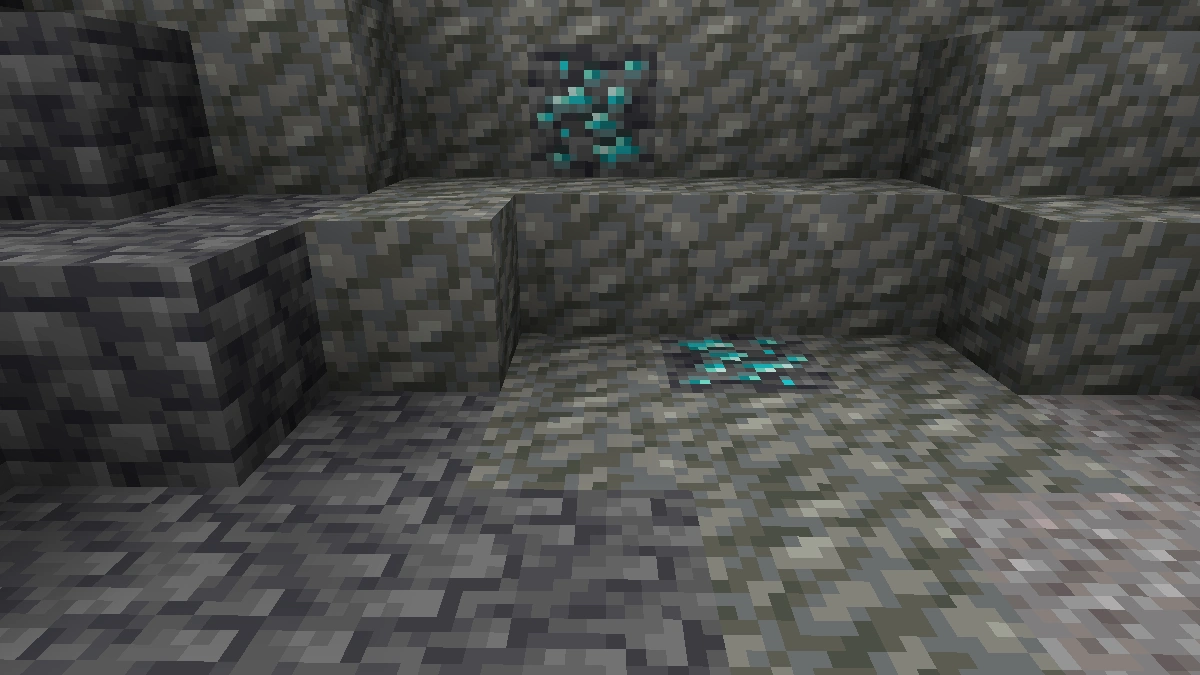
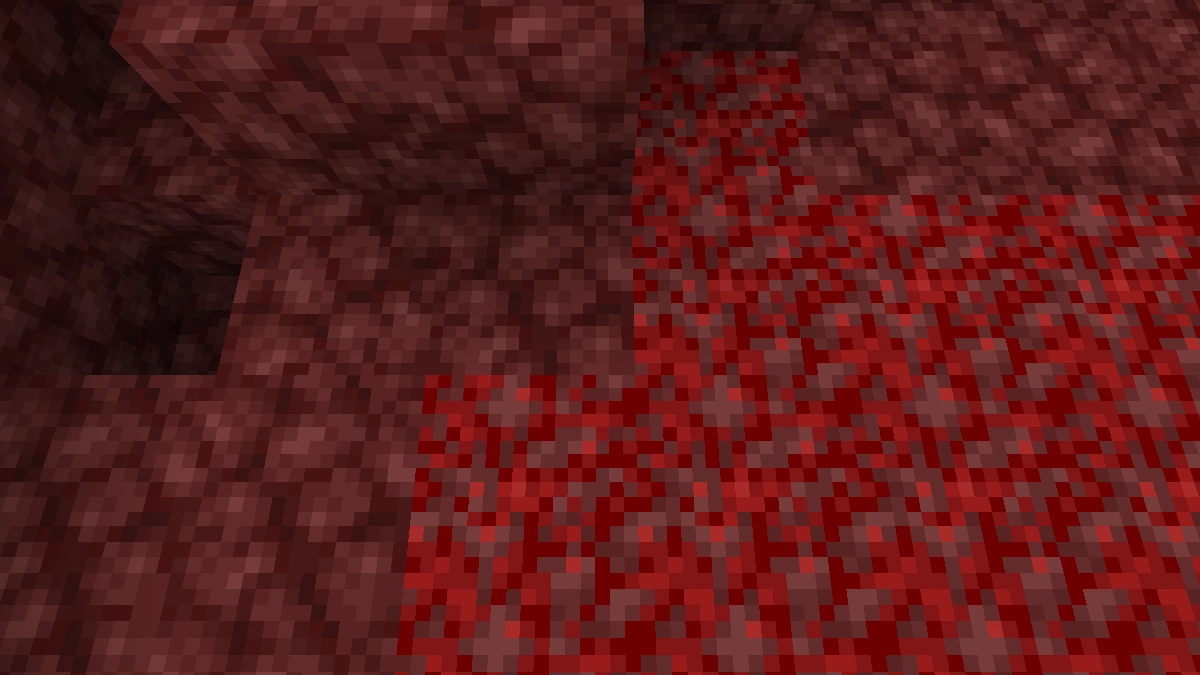
Use the before/after slider to see how XRay changes Minecraft compared to vanilla. Use the buttons below to compare different biomes and situations.

How To Install XRay Texture Pack
Here’s a tutorial on installing XRay in Minecraft Java Edition. If you’re using Minecraft Bedrock Edition and the pack is available for Bedrock/MCPE, you can simply click on the downloaded file to install it.
- Download and install OptiFine, as it is required by most texture packs.
- Download the XRay texture pack for Minecraft from the file section below. Pick the file that matches your Minecraft edition and version.
- Launch Minecraft.
- Click "Options" on the main menu.
- In the options, go to the submenu “Resource Packs”.
- Click "Open Pack Folder" at the bottom left to see a folder titled "resourcepacks".
- Put the downloaded ZIP file into your "resourcepacks" folder. Or, just drag and drop it into the Minecraft window to add the pack.
- You will see the pack on the left side of the resource pack selection menu. Unzip the file if you can't see the pack.
- Hover over the pack thumbnail and click the arrow pointing right. If the game notifies you that the pack is made for a newer or older Minecraft version, simply click “Yes” to proceed. Most textures will still work.
- Click "Done" and all assets have been loaded.
XRay Texture Pack Download
Note: These are alternative XRay packs, not the same as the Java Edition version. Turn off Smooth Lighting, Vibrant Visuals and turn up the brightness to achieve the night vision potential. On the Marketplace, XRay packs are only available as world templates. This means you can only use them in a dedicated survival world. We recommend the free download over Marketplace packs, as they are far less useful than the free Bedrock and Java packs.
Java Edition:
To see dark and distant ores clearly, install FullBright or OptiFine.
[16x] [1.21.6 – 1.21] Download XRay Texture Pack
[16x] [1.20.6 – 1.20.5] Download XRay Texture Pack
[16x] [1.20.1 – 1.20.x] Download XRay Texture Pack
[16x] [1.19.x] Download XRay Texture Pack
[16x] [1.18.x] Download XRay Texture Pack
[16x] [1.17.x] Download XRay Texture Pack
[16x] [1.16.x] Download XRay Texture Pack
[16x] [1.15.x] Download XRay Texture Pack
[16x] [1.14.x] Download XRay Texture Pack
[16x] [1.13.x] Download XRay Texture Pack
[16x] [1.12.x – 1.9.x] Download XRay Texture Pack
[16x] [1.8.x] Download XRay Texture Pack
[16x] [1.7.x] Download XRay Texture Pack
[16x] [1.6.x] Download XRay Texture Pack
[16x] [1.5.x] Download XRay Texture Pack
[16x] [1.4.x] Download XRay Texture Pack
[16x] [1.3.x] Download XRay Texture Pack
[16x] [Beta 1.7.3] Download XRay Texture Pack
[16x] Download XRay Origin Realms Texture Pack
Compatible Mods (Java Edition)
- Actually Additions
- Adabranium
- Ad Astra
- The Aether
- Aether Redux
- Alex’s Caves
- Allthemodium
- All the Ores
- Advent of Ascension
- Applied Energistics 2
- Archon
- Arts & Crafts
- Astromine
- Atmospheric
- Autumnity
- Better End
- Better Nether
- Bewitchment
- Big Reactors
- Biomes O’ Plenty
- Biomes We’ve Gone
- Blue Skies
- Basic Nether Ores
- Born in Chaos v1
- BYG (Oh The Biomes You’ll Go)
- Call of Yucutan
- Caverns & Chasms
- Cobblemon
- Create
- Create: Metallurgy
- Create: Better Motors
- Create More Features
- Create New Age
- Create Tank Defenses
- Croptopia
- Crystalcraft Unlimited
- Darker Depths
- Data & Essenc
- Decorative
- Deeper & Darker
- Deep Resonance
- Deep Aether
- Dishes
- Draconic Evolution
- Dungeons Plus
- Ecologics
- Eldritch End
- Ender Item Mod
- End Reborn
- Environmental
- Eternal Starlight
- EvilCraft
- Expanded Delight
- Feywild
- Forbidden & Arcanus
- ForceCraft
- Forestry
- Fossils & Archaeology Origins
- Galosphere
- Gamma Creatures
- Create: Garnished
- GCYR
- Gems
- Geore
- Gobber 2
- GTCEu (GregTech CE: Unofficial)
- Herbs & Harvest
- Ice & Fire: Dragons
- Immersive Engineering
- Industrial Revolution (indrev)
- Irons’ Spellbooks
- Iter RPG
- Jewelry Craft
- KubeJS
- K-Turrets
- Lucky TNT Mod
- Majrusz’s Difficulty
- Meadow
- Mechanized (mechanized)
- Megamons
- Mekanism
- Merrymaking
- Modern Industrialization
- Mystical Agradditions
- Mystical Agriculture
- Mythic Botany
- Mythic Metals
- Mythic Upgrades
- NetherEx (netherexp)
- Occultism
- Ores Above Diamonds
- Oritech
- Phantasm
- Pixelmon
- Powah
- Prehistoric Fauna
- Prehistoric Uprising
- Primal Magick
- Prodigium
- Productive Bees
- Pure Ores
- Quark
- Railcraft
- Rats
- Regions Unexplored
- Replication
- RFTools Base
- Rubinated Nether
- Rustic Engineer
- Sandwichable
- Scaling Health
- SC Guns
- Silent Gear
- Simple Ores
- Souls Weapons
- Stalwart Dungeons
- Stellaris
- Super Ore Block
- Supplementaries
- SW Planets
- Tinkers’ Construct
- Tech Reborn
- Tetra
- TF MG
- Thaumcraft
- Thermal
- Theurgy
- The Bumblezone
- Things
- Tropicraft
- Twilight Forest
- Undead Revamp 2
- Undergarden
- Unearthed Journey
- Unique Materials
- Unusual Prehistory
- Upgrade Aquatic
- Voidscape
- Wasteland
- Werewolves
- XYCraft World
XRay Texture Pack FAQ
No. That being said if you start mining a lot of ores and very little stone, they will get suspicious. Many plugins show all kinds of data based on how many blocks players mine and how much of each block they mine. You can find an xrayer who mines more ores than the average player very easily. If you deviate from the norm they will vanish teleport to you and check your cave pathing. When I used to run servers I had lots of people trying to circumvent this by acting as if they were strip mining and changing directions very conveniently to hit diamonds with their strip mines. But even if this doesn’t work, many plugins will show how off the probability charts you are even if you try to not mine diamonds directly. Your best bet is that the server owners don’t have any anti-xray plugins. But no, they can never tell what resource pack you are using unless you are playing on some custom-modded Minecraft client that hands servers this information.
XRay is compatible with all Minecraft editions.
It’s free for the Java Edition and MCPE, but you have to pay for it in the Marketplace if you play the Bedrock Edition.
You have to go to the options and then to resource packs. There you can enable or disable it.
Yes, you can. The installation is the same as for the official Java Edition. However, you should make sure that the launcher version and the pack version match.
No, because the ZIP archive and .mcpack only require a little computing power. In addition, the included textures only have a resolution of 16×16. Just like in the default pack. You might even get a small FPS boost because your graphics card has to render much less.
Common Problems
Although the installation and activation are very simple, there are occasional problems. That is why we have listed here the most common problems with XRay texture pack.
The server is using an Anti Xray plugin which can alter block information sent to your device from the server. They decide what the world map you get looks like. Server devs add ores everywhere and you can’t see further than a few blocks under the ground. There is no way around this other than to hack their server and delete the anti-xray plugins. You could always try to get the world seed if it’s not a custom world and then work your way from there. But in all honesty, stop xraying on servers that don’t allow it.
There is a quick solution to this problem because you just have to turn off the smooth lighting. For the Java Edition and MCPE this should be enough, but for the Windows Edition, you should also use a night vision potion. You can use this potion in the other editions as well. Optionally you can also install the mod Optifine.
It is an incompatibility message. It tells you that the pack is not compatible with your version of the game. However, this message is superfluous, because there will be no problem if you activate XRay anyway. Therefore, we advise you to simply ignore the error message.
You are probably confusing it with the XRay mod, which has these and many more features. As the title says, this is just a texture pack. As a result, only the blocks can be made transparent and no dungeons are highlighted.
